

Short version
The error MISMATCHED_RETURN_TRACKING_NUMBER means that the DHL return tracking number sent from Hello Pine to Otto does not match the License Plate / customer identifier stored in OTTO Partner Connect under shipping and returns.
Usually, either the wrong DHL return location is selected in Hello Pine, or the DHL return data in OTTO Partner Connect no longer matches the current DHL data.
Identify the error
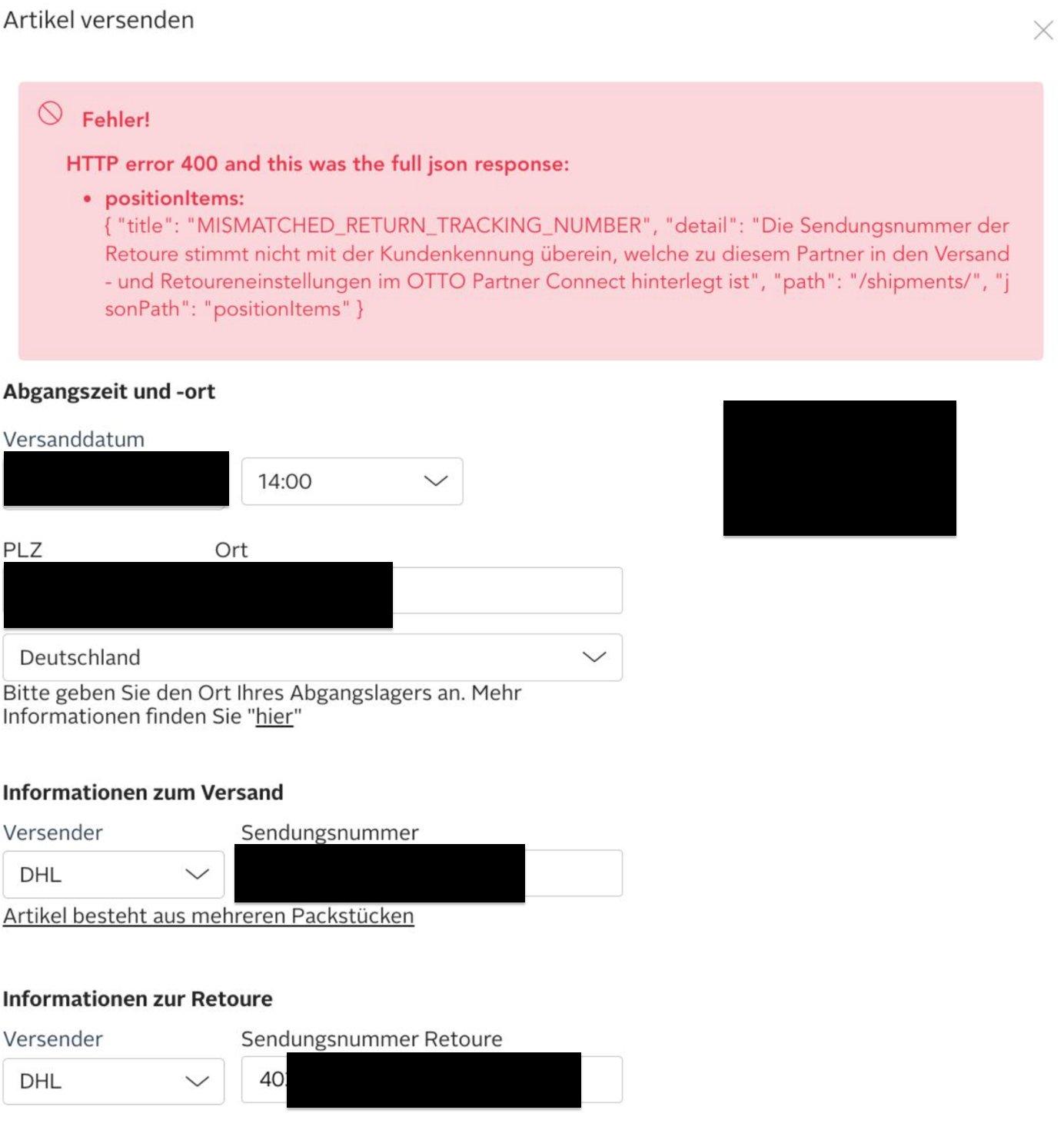
You typically see an error like this when sending an Otto order:
{
  "errors": [
    {
      "title": "MISMATCHED_RETURN_TRACKING_NUMBER",
      "detail": "The return shipment number does not match the license plate that is stored for this partner in the shipment and returns settings of OTTO Partner Connect",
      "path": "/shipments"
    }
  ]
}
1. Check the DHL return profile in Hello Pine
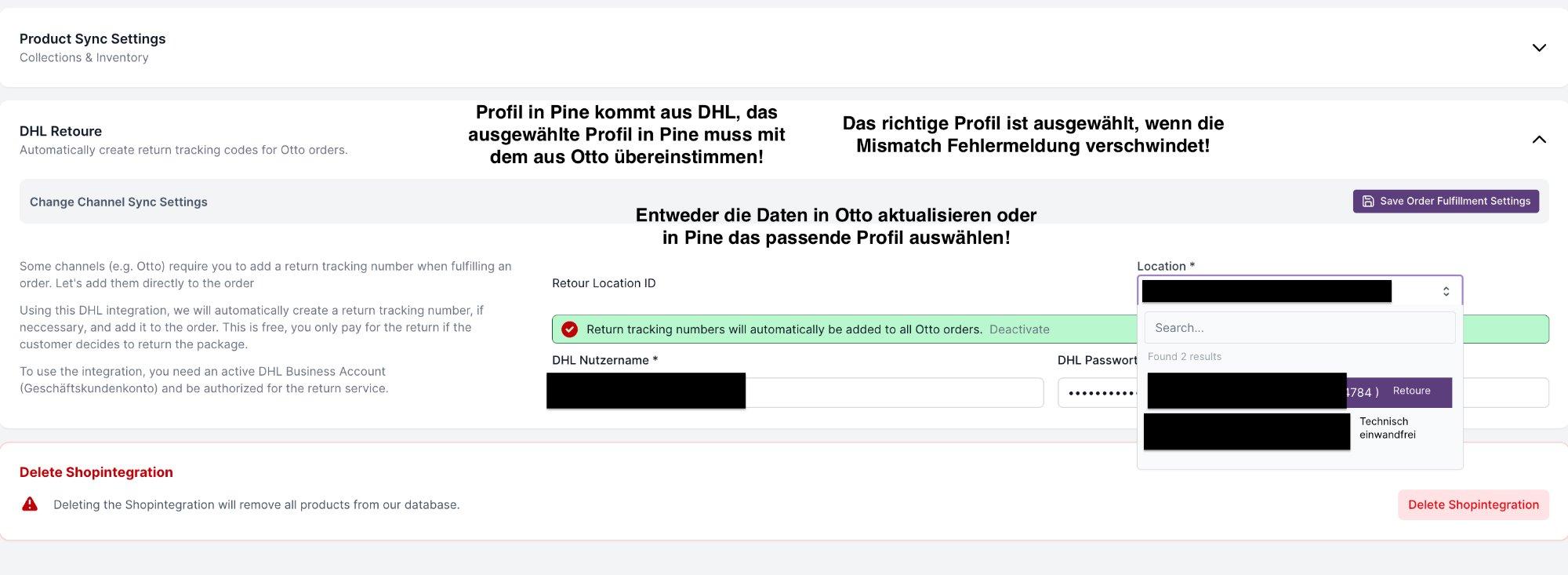
- Go to Shop -> DHL Retoure in Hello Pine.
- Check the Location dropdown. If multiple profiles are available, test the other matching profile.
- Click Save Order Fulfillment Settings.
- Go back to the affected orders and check whether the error disappears.
If the error disappears after this, the wrong DHL return location was selected in Hello Pine.
2. Check the data in OTTO Partner Connect
If the error still appears, the DHL data stored in OTTO Partner Connect needs to be checked or updated.
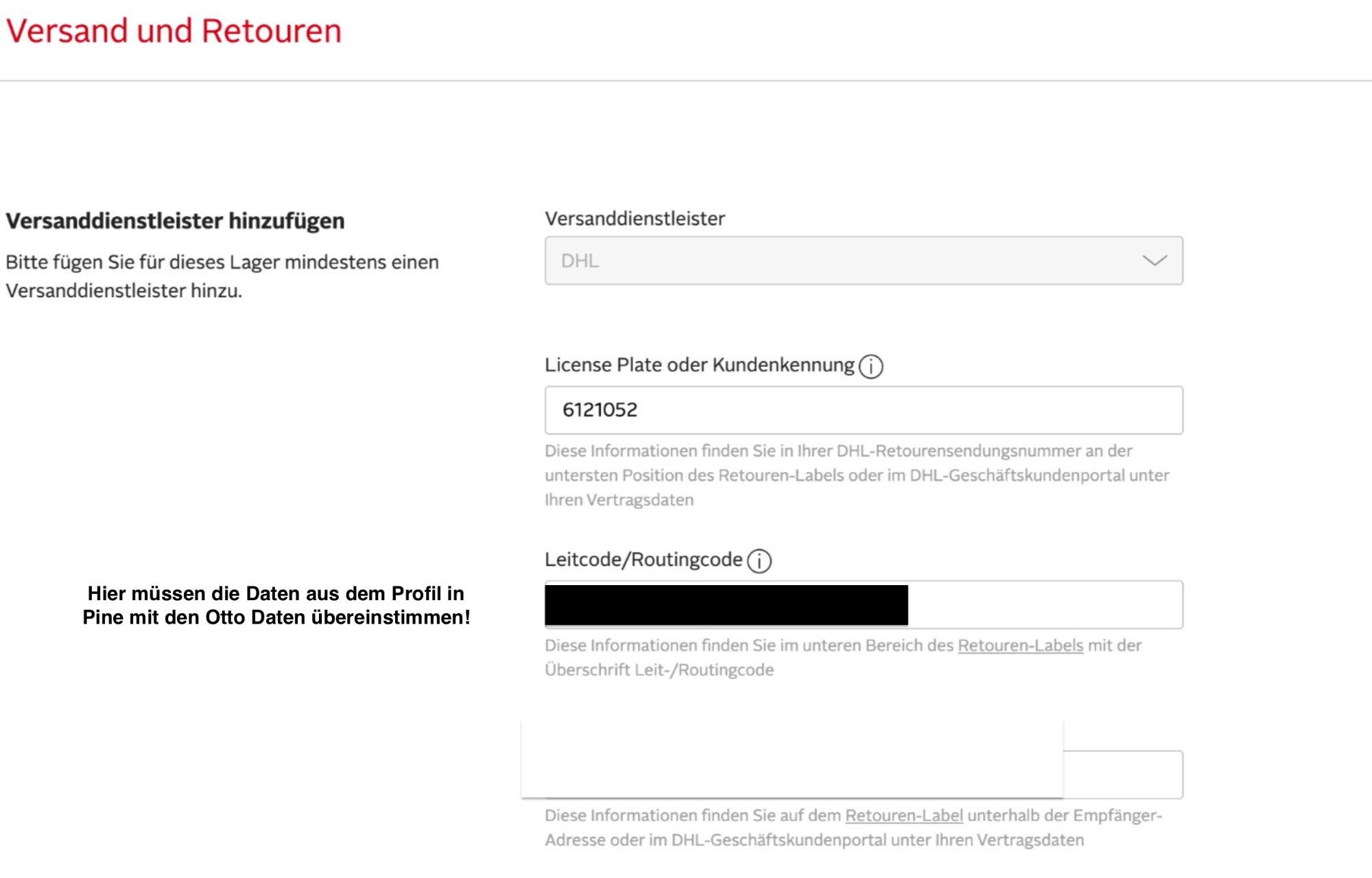
- Log in to OTTO Partner Connect.
- Go to Settings -> Shipping and returns.
- Click Edit on the DHL shipping provider.
- Compare the stored values with the DHL return data.
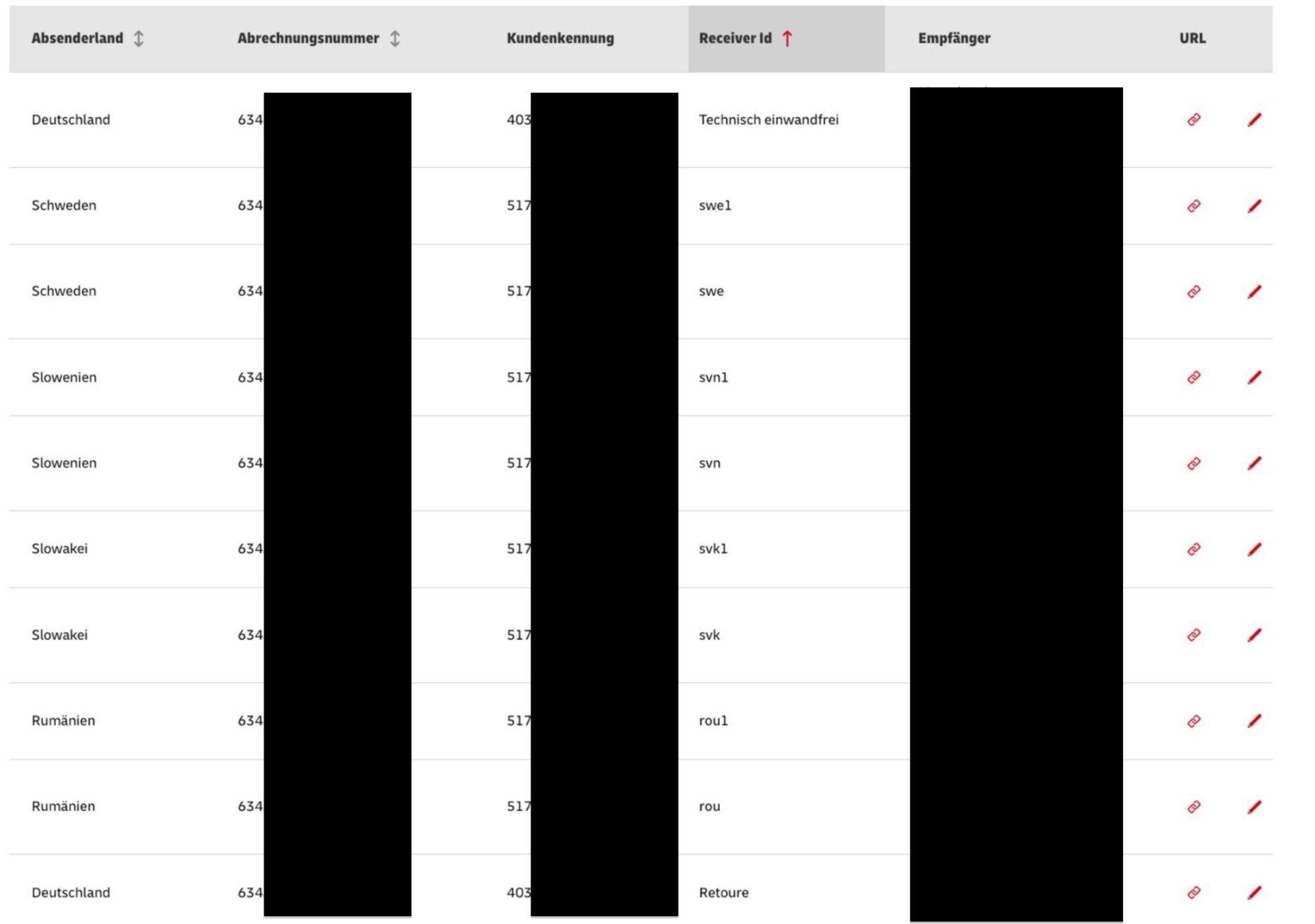
The most important fields are:
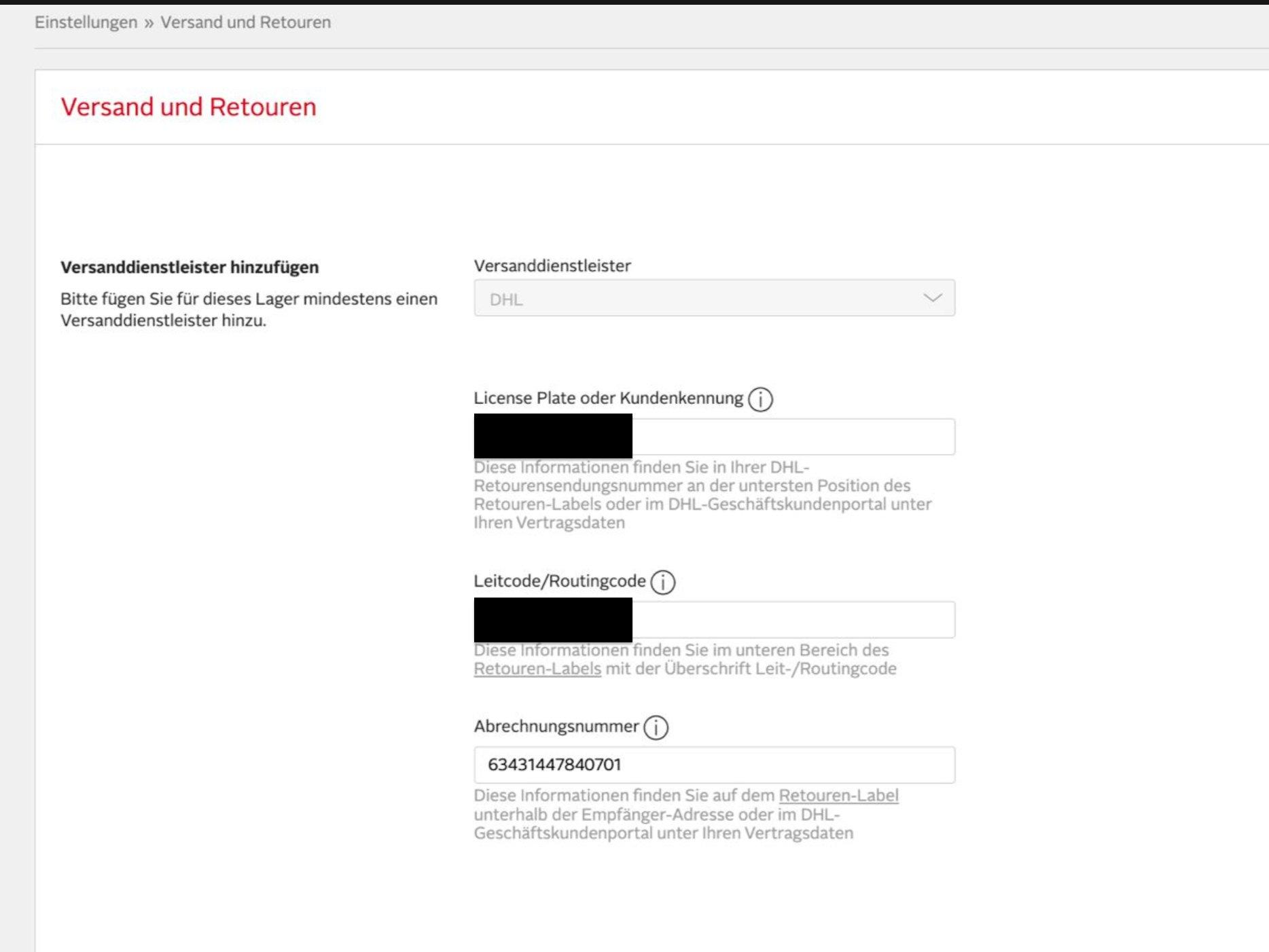
- License Plate / customer identifier: shown at the bottom of the return label or in the DHL business customer portal.
- Routing code: shown in the lower area of the return label.
- Billing number: shown on the return label below the recipient address or in the DHL business customer portal.
What cannot be changed in Pine
Hello Pine cannot freely edit these DHL profile values. The profiles come directly from DHL. Changes therefore need to be made in DHL or OTTO Partner Connect, not in Pine.
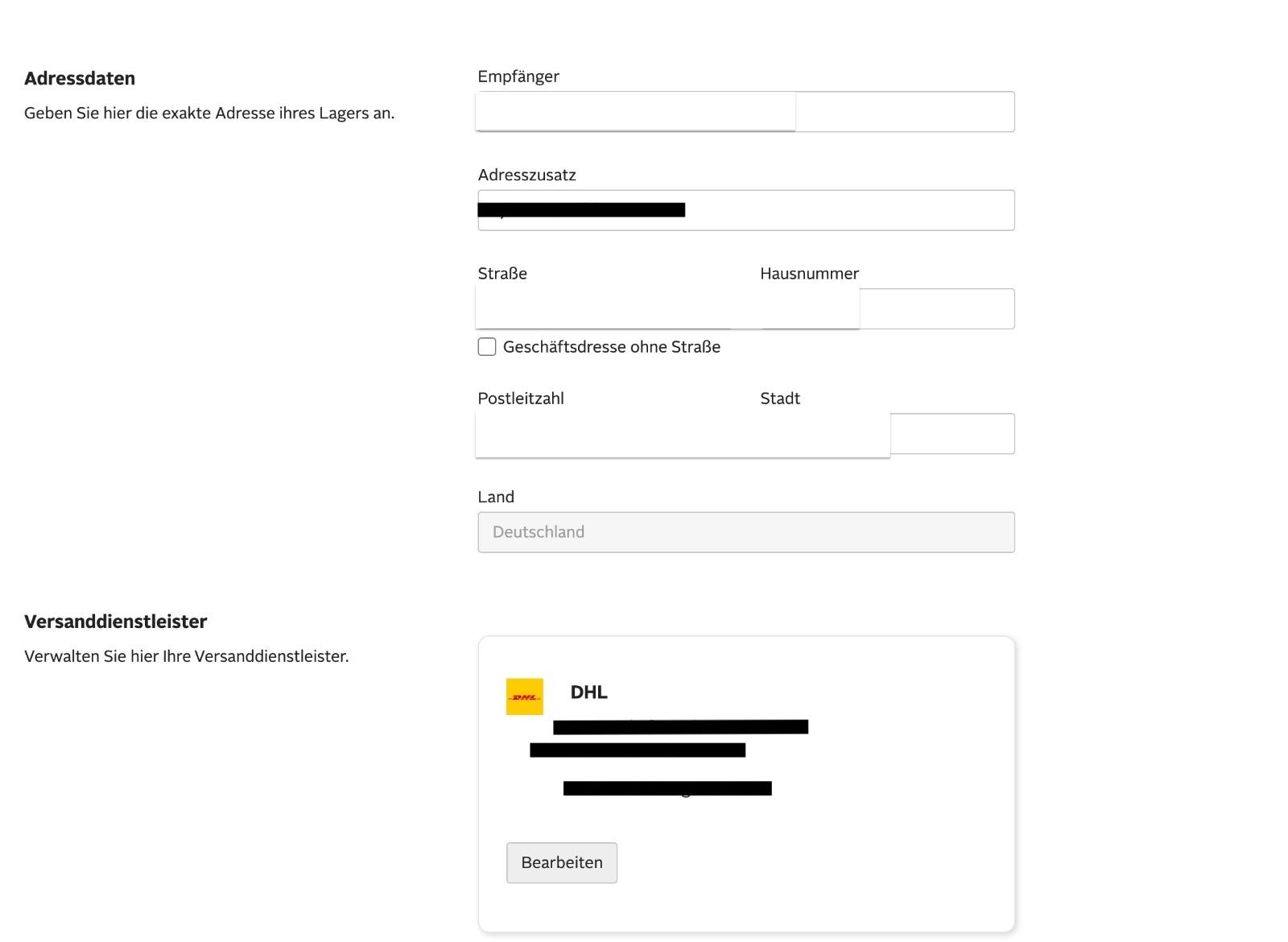
Also note: DHL can update data in the background. A profile that worked before can later stop matching the values stored at Otto.
Open an Otto ticket
If checking the Pine profile does not solve the issue, open a ticket with Otto.
Path: Partner Connect -> Help -> Create ticket
Reason: Returns
Copy this template into the Otto ticket and replace the placeholders:
Dear Otto team,

The following orders cannot be sent through Hello Pine because Otto returns the error MISMATCHED_RETURN_TRACKING_NUMBER:

[Insert Pine/Otto order numbers]

Error:
The return shipment number does not match the license plate that is stored for this partner in the shipment and returns settings of OTTO Partner Connect.

Could you please check the DHL return credentials stored in OTTO Partner Connect and set the correct values for License Plate/customer identifier, routing code, and billing number so that return tracking numbers can be generated and accepted correctly via API?

Thank you!
Additional note
For the standard flow of shipping and return tracking numbers for Otto, see How Tracking Numbers Are Managed in Hello-Pine - Outbound and Return.